This site contains affiliate links, and we may earn a commission on qualifying purchases. Learn more

TP-Link Archer AX21 AX1800 Wi-Fi 6 Router Review

The Archer AX21 stands as a highly accessible entry point into Wi-Fi 6, offering a significant performance leap over older Wi-Fi 5 hardware for standard-sized homes and apartments.

Check price on Amazon
TP-Link Archer AX21 AX1800 Wi-Fi 6 Router detail shot 1
Performance85/100
Convenience94/100
Value98/100
8.4/10Excellent

Pros

  • Reliable and easy to set up with the Tether app
  • Noticeable speed and coverage upgrade over Wi-Fi 5
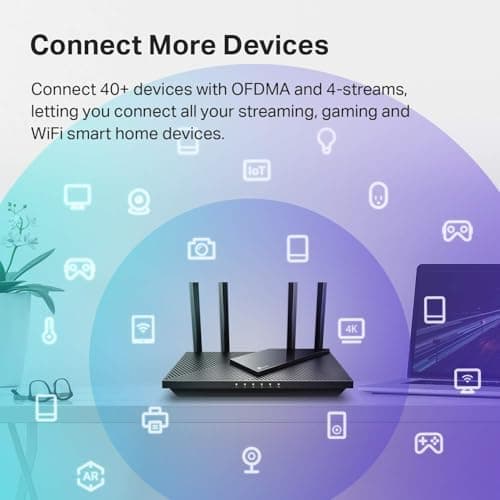
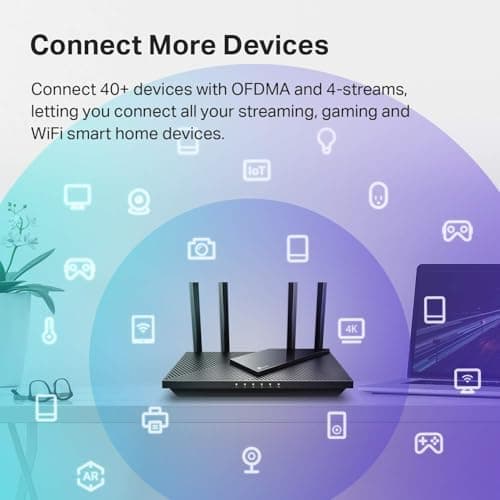
  • Handles many connected devices efficiently via OFDMA
  • EasyMesh compatible for future coverage expansion
  • Excellent price-to-performance ratio for home offices

Cons

  • Mixed reports on long-term connectivity and hardware life
  • Dual-band only with no access to the 6 GHz band
  • Does not include a built-in modem
Check price on Amazon

Key Specs

StandardDual-band Wi-Fi 6 (802.11ax); no 6 GHz band
Speed classAX1800: up to 1,200 Mbps on 5 GHz and 574 Mbps on 2.4 GHz (theoretical)
Coverage techBeamforming, 4 high-gain antennas, OFDMA for many devices at once
PortsGigabit WAN and LAN ports
ExtrasEasyMesh compatible, OpenVPN and PPTP VPN server, works with Alexa, Tether app setup
ModemRouter only; requires a separate modem or ISP gateway in bridge mode
Price noteListed at $89.99, often about $55
Amazon Rating4.4 stars, 24,800-plus ratings, #1 in Computer Routers, #12 in Computers and Accessories, 10K+ bought in the past month

Setup & Connectivity

Owners frequently say setup is easy, and TP-Link’s Tether app walks you through it. Gigabit Ethernet ports let you hardwire stationary gear like a desktop PC or a laptop dock such as the UGREEN USB-C hub we reviewed. It is important to note that this is a router only; it must be connected to a separate modem or an ISP gateway in bridge mode to access the internet. For those building out a smart home, the AX21 also works with Alexa.

Performance & Real-World Usage

While the AX1800 speed class is entry-level for Wi-Fi 6, providing theoretical maximums of 1,200 Mbps on 5 GHz and 574 Mbps on 2.4 GHz, it offers a tangible upgrade for users coming from older Wi-Fi 5 (802.11ac) routers. Wi-Fi 6 OFDMA technology is designed to help the router manage a high volume of simultaneous connections without the lag common in older standards—a major plus for work-from-home setups using high-end peripherals like the Logitech MX Master 3S. In typical homes and apartments, the four high-gain antennas and beamforming tech provide strong, consistent coverage through multiple walls.

Features & Mesh Compatibility

One of the standout features for a router at this price point is EasyMesh compatibility. If you move to a larger multi-story home, you can add a compatible extender rather than replacing the entire unit. It also includes built-in OpenVPN and PPTP VPN server support, which is a rare find in budget-tier networking gear. This makes it a solid hub for a home that includes several smart devices like an Echo Dot, as it can handle the traffic overhead more gracefully than standard ISP-provided equipment.

Setup Tips & Maintenance

For the best results, place the unit in a high, central location away from metal obstructions and microwaves. Update the firmware right after setup for stability and security, and use a strong admin password and enabling WPA3 encryption if your devices support it. While many find the connection rock-solid, some long-term reports of drops suggest that an occasional proactive reboot can help maintain peak performance over time.

What Owners Report Over Time

Patterns pulled from verified owner reviews, not our own usage log.

First Month

Condition: Excellent
  • Owners report a seamless setup process that takes minutes
  • Immediate improvements in signal strength in previously weak spots
  • Stable performance for video conferencing and streaming

One Year

Condition: Good
  • Many units continue to provide consistent throughput for daily use
  • A subset of reviewers report needing more frequent reboots
  • Firmware updates are cited as critical for maintaining security
Check price on Amazon
David Kim

David Kim

Last updated: October 15, 2026

Subscribe

Be the first to know whenever a new review goes up.

More in This Category

Anker Zolo 20,000mAh 30W Power Bank with Built-in USB-C Cable review8.4

REVIEW · October 8, 2026

Zolo 20,000mAh 30W Power Bank with Built-in USB-C Cable by Anker

The built-in USB-C cable and accurate digital percentage display make this a highly convenient option for multi-day trips where outlet access is limited. Its nearly 13-ounce weight and chunky profile make it less ideal for pocket carry, and the 20W recharge speed means the bank itself takes a long time to fill.

Read Review
Rain Design mStand Laptop Stand review8.6

REVIEW · September 2, 2026

mStand Laptop Stand by Rain Design

Extremely sturdy cast-aluminum build that raises screens 5.9 inches to eye level while clearing desk space for an external keyboard. Fixed height offers no adjustment, and typing directly on the elevated laptop causes noticeable bounce.

Read Review
BenQ ScreenBar Monitor Light Bar review8.6

REVIEW · September 2, 2026

ScreenBar Monitor Light Bar by BenQ

Asymmetric optics eliminate screen glare while freeing up desk space, backed by high color rendering and automated dimming. Carries a high price tag, features unlabeled touch controls, and can tilt downward when tapping the top buttons.

Read Review
TP-Link Archer AX21 AX1800 Wi-Fi 6 Router front view

TP-Link

Archer AX21 AX1800 Wi-Fi 6 Router

8.4
Check price on Amazon

Written from in-depth product research